Stylish Art Brushes for Illustrator
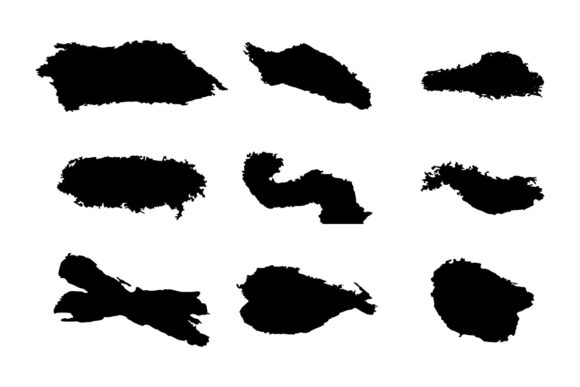
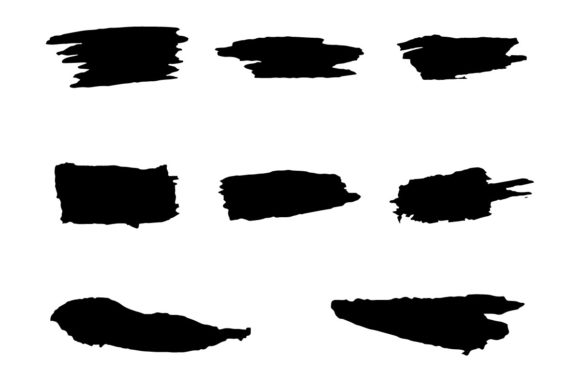
Digital design often suffers from a lack of soul. When every line is perfectly smooth and every curve is mathematically precise, the result can feel sterile. This is where Different Stylish Art Brushes change the game. These are not your standard vector tools. They are messy, inky, rough, textured, and even glitchy. They bring the unpredictability of traditional media into the scalable, editable world of Adobe Illustrator. For designers who crave character without sacrificing the flexibility of vector graphics, these exclusive brushes offer a unique solution.
The core appeal of these brushes lies in their contradiction. They look hand-drawn and organic, yet they remain fully editable vectors. You can change colors, adjust stroke weights, and modify shapes without losing quality. This combination of raw aesthetic and technical precision makes them invaluable across a wide spectrum of creative projects. Whether you are designing a gritty poster, a playful social media graphic, or a sophisticated brand identity, these brushes provide the texture needed to stand out.
Why Texture Matters in Vector Design
In an era of flat design and minimalism, texture adds depth. It creates a tactile feeling that engages the viewer on a subconscious level. Different Stylish Art Brushes introduce imperfections that mimic real-world materials like charcoal, ink splatters, or dry brush strokes. This "human touch" helps break the monotony of digital perfection.
For professionals, this means adding a layer of sophistication to client work. For hobbyists, it means experimenting with styles that were previously difficult to achieve digitally. The ability to combine these varied and unique brushes via Adobe Illustrator allows for endless customization. You are not limited to a single look; you can layer a rough outline with an inky fill, or add a glitch effect to a clean shape to create something entirely new.
Perspectives from Different Creators
The value of these brushes shifts depending on who is using them. Understanding how different audiences interact with these tools can help you decide if they fit your workflow.
For Beginners and Hobbyists
If you are new to Adobe Illustrator, the learning curve can be steep. Many beginners struggle to create organic shapes because the pen tool requires significant practice to master. Different Stylish Art Brushes bridge this gap. They allow novices to produce professional-looking, textured artwork immediately. Instead of spending hours trying to simulate a hand-drawn look, you can apply a brush stroke and focus on composition and color. This boosts confidence and encourages experimentation. The ease of use means you can spend less time fighting the software and more time enjoying the creative process.
For Professional Designers and Freelancers
Experienced designers often face the challenge of meeting tight deadlines while maintaining high quality. Speed and reliability are crucial. These brushes offer a quick way to add visual interest to otherwise plain layouts. A freelancer working on a music festival poster, for example, can use the glitchy and messy brushes to convey energy and chaos instantly. The fact that the files are editable SVGs and EPS formats ensures that the final output meets print standards. Professionals value the flexibility to tweak the brushes after application. If a client wants a darker shade or a thicker stroke, it is a simple adjustment rather than a complete redraw.
For Marketers and Small Business Owners
Entrepreneurs and marketers need content that stops the scroll. In a crowded digital landscape, generic stock images rarely capture attention. Using exclusive brushes with distinct styles helps create a unique brand voice. A small business owner selling handmade goods might use rough, textured brushes to emphasize the artisanal nature of their products. The commercial value here is clear: distinctive visuals lead to better brand recognition. Moreover, since the brushes are customizable, they can be adapted to match specific brand colors, ensuring consistency across all marketing materials.
For Educators and Publishers
Educators creating learning materials often need visuals that are engaging but not distracting. Textured brushes can make diagrams and illustrations feel more approachable and less rigid. Publishers looking to illustrate book covers or internal chapters can use inky and rough styles to set a specific mood. The versatility of these brushes allows them to fit various genres, from serious non-fiction to whimsical children’s stories. The key priority for this group is clarity and appropriateness. These brushes provide style without compromising readability when used thoughtfully.
Key Features and Practical Benefits
When evaluating Different Stylish Art Brushes, it is important to look beyond the aesthetic. The technical features determine how useful they will be in your daily workflow.
- Easy Customization: Every brush stroke is fully editable. You can change the color to match any palette. This is essential for maintaining brand consistency or adapting to different project themes.
- Adobe Illustrator CC Compatibility: The brushes are designed specifically for Adobe Illustrator. This ensures seamless integration with your existing tools and workflows. There is no need for complex workarounds or third-party plugins.
- Multiple File Formats: The package includes SVG and EPS files. SVG is ideal for web use, offering scalability and small file sizes. EPS is the standard for high-quality print production. Having both formats ensures you are covered for any medium.
- Variety of Styles: From messy and inky to rough and glitchy, the range of styles allows for diverse applications. You can mix and match to create unique combinations that suit your specific project needs.
How to Choose the Right Brush for Your Project
With so many options, selecting the right brush can feel overwhelming. Here is a practical guide to help you match the brush style to your goal.
For High-Energy Designs: If you are creating promotional material for events, sports, or music, look for the glitchy and messy brushes. These styles convey movement and excitement. They work well for headlines and background elements that need to grab attention.
For Elegant or Organic Projects: If you are designing for wellness brands, organic food products, or literary publications, the inky and rough brushes are more appropriate. They suggest authenticity and craftsmanship. Use them for borders, dividers, or subtle textural overlays.
For Modern and Edgy Looks: Tech startups or fashion brands might benefit from the glitchy and textured combinations. These styles feel contemporary and bold. They can be used to create unique logos or icon sets that stand out from conventional corporate designs.
Integrating Brushes into Your Workflow
To get the most out of Different Stylish Art Brushes, consider how they fit into your broader design process. Start by sketching your basic layout using standard shapes. Once the structure is in place, apply the brushes to add character. Do not be afraid to layer multiple brushes. For instance, you might use a rough brush for the main outline and an inky brush for shading. Experiment with opacity and blending modes to achieve the desired effect.
Remember that these brushes are tools, not crutches. They enhance your design but do not replace fundamental design principles. Balance is key. Too much texture can clutter a composition. Use these brushes strategically to highlight important elements or to add depth to empty spaces.
Ultimately, Different Stylish Art Brushes offer a powerful way to inject personality into your digital work. They cater to a wide range of users, from beginners seeking ease of use to professionals demanding flexibility and quality. By understanding the unique characteristics of each style and how they align with your project goals, you can create visuals that are not only technically sound but also emotionally resonant. Whether you are a marketer looking to boost engagement, a designer seeking new textures, or a hobbyist exploring creativity, these brushes provide the versatile, high-quality resources you need to elevate your art.