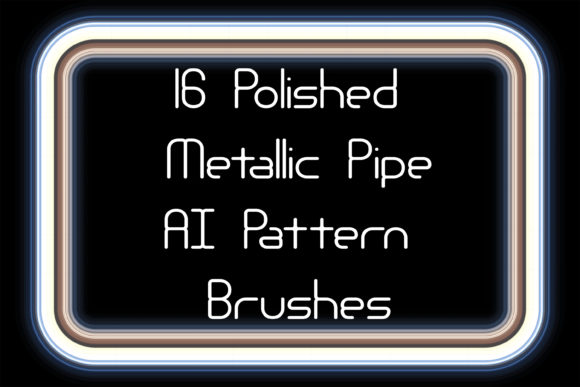
Polished Metal Pipe Illustrator Brushes
In the realm of digital design, texture and materiality often separate a flat concept from a compelling visual narrative. For designers working in industrial, sci-fi, or high-tech aesthetics, the ability to render realistic metallic surfaces quickly is invaluable. This is where Polished Metal Pipe Illustrator Brushes become an essential asset. These tools are not merely decorative elements; they are functional building blocks that allow creators to construct complex, three-dimensional-looking structures with the ease of drawing a simple line.
The core appeal of these brushes lies in their versatility and realism. By utilizing bright brassy pattern vectors and other metallic finishes, designers can instantly elevate their work, adding a layer of sophistication and technical precision. Whether you are illustrating a futuristic cityscape, designing packaging for a premium tech product, or creating intricate borders for a corporate report, these brushes provide the structural integrity and visual polish required to make your designs stand out.
The Power of Realistic Metallic Textures
Metal is one of the most challenging materials to replicate digitally because it interacts with light in complex ways. Reflections, highlights, and shadows must be perfectly aligned to convey weight and solidity. Manually painting these effects for every pipe, ribbon, or frame is time-consuming and often results in inconsistent lighting. Pre-made Polished Metal Pipe Illustrator Brushes solve this problem by embedding these lighting calculations into the brush stroke itself.
When you apply a burnished metallic pattern brush, you are not just drawing a line; you are applying a pre-calculated surface treatment. The collection typically includes sixteen distinct variations, covering a wide spectrum of industrial materials. From the warm, luxurious glow of gold and copper to the cool, sterile efficiency of steel, chromium, and aluminum, each brush offers a unique tonal quality. This variety allows designers to match the metal type to the mood of their project. For instance, brass and copper evoke a sense of vintage industrialism or steampunk elegance, while chrome and iron suggest modernity, strength, and durability.
Endless Customization and Flexibility
One of the most significant advantages of using vector-based pattern brushes is their scalability and editability. Unlike raster images, which lose quality when resized, these brushes remain crisp at any dimension. You can create an endless polished metal ribbon, frieze, or edging without worrying about pixelation. Furthermore, the ability to change the color, size, or thickness of the stroke on the fly provides unprecedented control over the final output.
If a client requests a shift from a silver aesthetic to a gold one, the adjustment takes seconds rather than hours. You simply swap the brush definition or adjust the stroke color properties. This flexibility is crucial for professional workflows where iterations are frequent and deadlines are tight. The inclusion of corner elements further enhances this utility. When creating frames or boxed layouts, standard brushes often fail to join cleanly at ninety-degree angles, resulting in awkward overlaps or gaps. With dedicated corner elements, your metallic structures maintain geometric precision, ensuring that every joint looks manufactured and intentional.
Creative Applications Across Industries
The utility of Polished Metal Pipe Illustrator Brushes extends far beyond simple decoration. Different professionals can leverage these tools to meet specific industry needs, enhancing both the visual appeal and the communicative power of their designs.
- Game Design and Concept Art: Environment artists can use these brushes to rapidly prototype mechanical structures, piping systems, or architectural details in sci-fi settings. The ability to quickly lay down complex metallic frameworks allows for faster iteration on level designs and prop concepts.
- Product Packaging: For brands selling electronics, automotive parts, or luxury goods, packaging design often requires a sleek, high-tech look. Using metallic brushes to create borders, dividers, or background patterns adds a tactile sense of quality to the digital mockup, helping clients visualize the premium nature of the final print product.
- Infographics and Data Visualization: Technical diagrams benefit from the clarity provided by metallic lines. Using steel or aluminum brushes to connect data points or frame charts can reinforce themes of engineering, precision, and reliability. It helps distinguish technical content from more organic or casual informational graphics.
- Web and UI Design: While web design has moved towards flat aesthetics, there is a resurgence of neo-morphism and detailed interface elements for gaming platforms or fintech apps. Metallic edges and buttons created with these brushes can provide necessary visual weight and hierarchy, guiding the user’s eye through complex interfaces.
Adapting Styles for Different Audiences
The key to effectively using these brushes lies in understanding your audience. A design for a heavy machinery manufacturer should utilize iron, steel, and aluminum brushes to convey robustness and safety. In contrast, a jewelry brand or a high-end audio equipment company might prefer gold, silver, or burnished copper to suggest luxury and craftsmanship. By selecting the appropriate metal alloy from the sixteen available options, you align the visual language of your design with the brand’s identity.
Moreover, the "Hi-Tech" style mentioned in the product description is not monolithic. It can range from the clean, minimalist aesthetic of Apple-inspired design—where subtle aluminum and chrome accents dominate—to the gritty, worn look of cyberpunk, where rusted iron and tarnished brass tell a story of decay and survival. The inclusion of various alloys allows you to navigate this spectrum effortlessly. You can even combine different metals within a single composition to create contrast and visual interest, such as pairing a copper pipe with a steel fitting to highlight functional differences.
Technical Compatibility and Workflow Integration
For many designers, the barrier to adopting new assets is compatibility. This collection addresses those concerns by offering files compatible with Illustrator CS5 and above, ensuring that most professional users can integrate them into their existing workflows without software upgrades. The inclusion of original AI Illustrator 10 and EPS 10 files provides an additional layer of security for those working in older environments or requiring maximum backward compatibility.
Furthermore, the package is designed for self-sufficiency. The included PDF help file with screenshots guides users through installation and application, reducing the learning curve. For advanced users, the ability to create custom brushes based on the provided originals means you are not limited to the sixteen presets. You can tweak the gradient meshes, adjust the highlight intensity, or create entirely new metallic variations suited to specific project requirements. This openness encourages experimentation and ensures that the tool grows with your skills.
The file size of the ZIP archive is a modest 1.5 MB, making it easy to store, share, and back up. In an era where design libraries can balloon to gigabytes, this lightweight footprint is a practical benefit, allowing for quick downloads and minimal storage impact.
Maintaining Consistency and Quality
While these brushes offer immense creative freedom, maintaining consistency is vital for professional results. When using multiple metallic brushes in a single piece, ensure that the light source remains consistent. If your gold brush reflects light from the top left, your steel brush should do the same. Mixing conflicting lighting directions can break the illusion of reality and make the design feel disjointed.
Additionally, avoid overusing the most reflective metals like chrome or polished silver in large areas, as they can become visually overwhelming. Use them sparingly for accents, highlights, or focal points. Matte finishes like iron or brushed aluminum work better for larger structural elements, providing a balanced contrast that keeps the viewer’s eye engaged without causing fatigue.
Ultimately, Polished Metal Pipe Illustrator Brushes are more than just a set of digital stamps; they are a toolkit for efficient, high-quality design. They empower creators to focus on composition and concept rather than getting bogged down in the tedious rendering of textures. By integrating these tools into your workflow, you can produce sophisticated, hi-tech visuals that resonate with audiences and meet the rigorous demands of modern commercial design. Whether you are a freelancer looking to speed up your turnaround time or a hobbyist eager to explore industrial aesthetics, these brushes offer a reliable pathway to professional-grade results.