Mastering Texture: A Practical Guide to Grunge Art Brushes in Adobe Illustrator
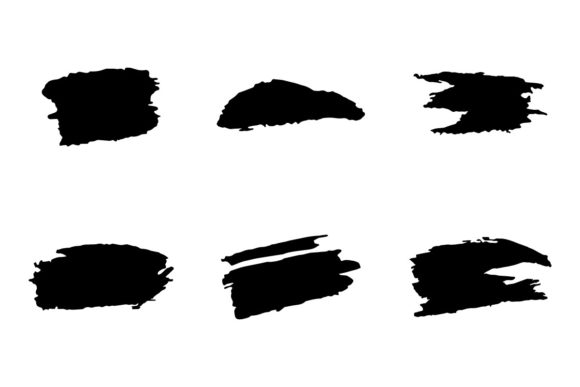
In the realm of digital design, texture serves as the bridge between sterile perfection and organic authenticity. For designers working within vector environments, achieving a genuine sense of wear, decay, or chaotic energy has traditionally been a challenge. Vectors are mathematically precise, which often results in clean lines that lack the tactile quality of traditional media. This is where specialized Grunge Art Brushes become an essential tool in the modern designer’s arsenal. Specifically, this collection of messy, inky, rough, textured, and glitchy brushes for Adobe Illustrator offers a distinct solution for those seeking to inject raw character into their work without leaving the vector ecosystem.
Defining the Aesthetic: What Makes These Brushes Distinct?
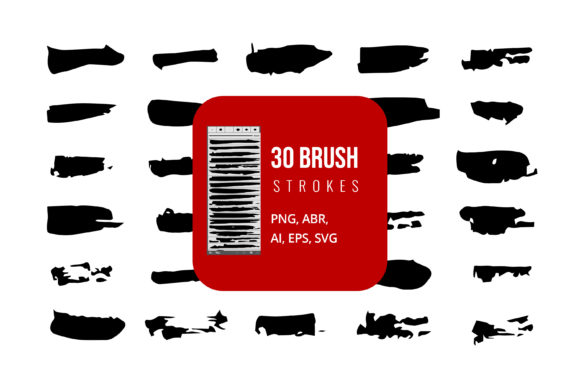
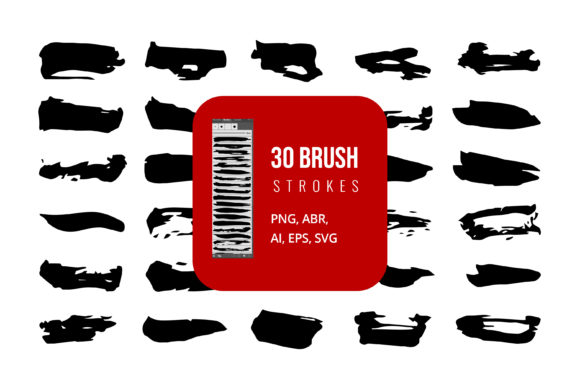
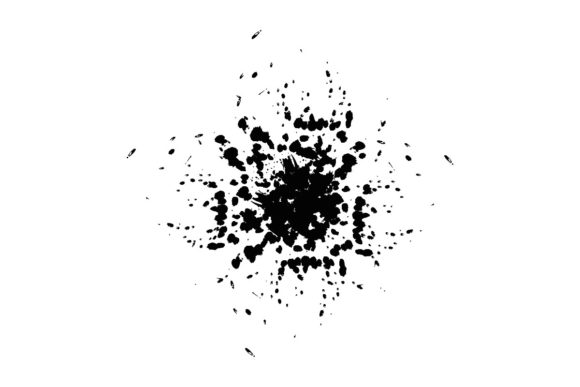
When we discuss Grunge Art Brushes, we are referring to a specific stylistic approach that embraces imperfection. Unlike standard brush libraries that focus on smooth strokes or uniform patterns, these tools are designed to replicate the unpredictable nature of physical materials. The brushes in this exclusive set are characterized by their irregular edges, varying opacity, and intentional "errors" such as ink splatters, scratch marks, and digital glitches.
The primary distinction lies in the balance between control and chaos. In traditional raster-based painting software, achieving a grunge look often involves layering multiple textures, using blend modes, and manually erasing parts of an image. While effective, this process can be time-consuming and difficult to edit later. By contrast, these Grunge Art Brushes for Adobe Illustrator allow designers to apply complex, textured strokes as single vector paths. This means the messy, inky aesthetic is not just a static image overlay but an editable object that retains the scalability and flexibility inherent to vector graphics.
The Role of Glitch and Rough Textures
The inclusion of "glitchy" elements sets this collection apart from standard distress tools. While traditional grunge focuses on analog wear—like paper tears or coffee stains—the glitch aesthetic introduces a digital layer of disruption. This combination allows for a hybrid style that feels both vintage and contemporary. Designers can use these brushes to create visuals that suggest data corruption, signal interference, or urban decay, making them particularly relevant for projects targeting younger demographics or industries like music, streetwear, and alternative media.
Comparing Vector Grunge Tools to Raster Alternatives
To make an informed decision about incorporating these brushes into your workflow, it is helpful to compare them with alternative methods. Most designers are familiar with using Photoshop or Procreate for textured effects. These raster-based programs excel at photorealistic texture but come with significant limitations regarding scalability and file size.
- Scalability: Raster textures pixelate when enlarged. Vector Grunge Art Brushes remain crisp at any size, from a business card to a billboard.
- Editability: Once a texture is painted in Photoshop, changing its shape or color often requires starting over. With Illustrator CC files, every stroke remains an editable path.
- File Efficiency: Complex raster textures can bloat file sizes. Vector brushes, even when detailed, often result in lighter files that are easier to manage and share.
However, there are tradeoffs. Raster software offers unlimited blending capabilities and photorealistic depth that vectors struggle to mimic. If your project requires hyper-realistic oil paint textures or subtle photographic grain, a raster-based approach may still be superior. But for graphic design, logo creation, typography, and illustration where bold, stylized texture is needed, vector brushes offer a more efficient and flexible workflow.
Evaluating Usability and Customization Features
A critical factor in choosing any design resource is how easily it integrates into existing workflows. One of the strongest advantages of this specific brush set is its customizability. Because the brushes are built for Adobe Illustrator, they inherit the software’s powerful color and path editing capabilities.
Color and Shape Flexibility
Unlike pre-rendered texture packs that come in fixed colors, these Grunge Art Brushes are fully editable. You can change the color of a messy ink splatter with a single click, allowing for rapid experimentation with different palettes. This is particularly useful for branding projects where strict color codes must be maintained. Furthermore, because the brushes are vector-based, you can manipulate the anchor points of a stroke to alter its shape after it has been drawn. This level of post-application control is rarely found in standalone texture images.
File Formats and Compatibility
The inclusion of Adobe Illustrator CC files, along with SVG and EPS formats, ensures broad compatibility. SVG (Scalable Vector Graphics) is particularly valuable for web designers, as it allows these grunge elements to be used directly in code without losing quality. EPS support ensures that users with older versions of Illustrator or other vector software can still access the core assets. This versatility makes the brush set a practical choice for agencies and freelancers who need to deliver files in various formats to clients.
Best-Fit Scenarios: When to Use Grunge Art Brushes
Understanding when to deploy these tools is just as important as knowing how to use them. Based on their messy, inky, and glitchy nature, these brushes are ideal for specific types of projects:
- Music and Event Posters: The raw energy of grunge textures complements genres like punk, rock, hip-hop, and electronic music. They add visual intensity that draws attention in crowded social media feeds.
- Streetwear and Apparel Design: Fashion brands often seek a distressed, worn-in look for t-shirts and hoodies. Vector grunge brushes allow designers to create screen-print-ready artwork that mimics this aesthetic without the need for complex separation processes.
- Editorial Layouts: Adding subtle textured borders or background elements can break up white space and add visual interest to magazines, zines, and online articles.
- Logo Design for Niche Brands: For brands wanting to convey ruggedness, authenticity, or rebellion, a logo incorporating grunge elements can communicate these values instantly.
Limitations and Decision Factors
While versatile, Grunge Art Brushes are not a universal solution. Designers should consider the following limitations before purchasing or downloading:
Overuse Risk: The high-contrast, noisy nature of these brushes can easily overwhelm a design if not used sparingly. They work best as accents rather than primary structural elements. Beginners may struggle to balance the chaos of the brush with the clarity of the message.
Complexity in Printing: While vector files are generally print-friendly, extremely complex grunge paths with thousands of anchor points can sometimes cause issues with older printing presses or cutters. It is advisable to simplify paths or rasterize final outputs for large-format printing if necessary.
Style Specificity: These brushes are inherently stylized. They are not suitable for corporate, minimalist, or luxury designs that require clean, polished lines. Using a glitchy ink brush for a financial institution’s annual report, for example, would likely send the wrong message.
Making the Right Choice for Your Project
Choosing between different texture resources ultimately depends on your project’s goals and your technical comfort level. If you prioritize speed, scalability, and editability within a vector workflow, this set of Grunge Art Brushes for Adobe Illustrator is a strong candidate. It eliminates the need to switch between programs and allows for non-destructive editing.
However, if your project demands photorealism or complex lighting effects, you may need to combine these vector brushes with raster textures in Photoshop. Many professional designers use a hybrid approach, creating the base structure in Illustrator with these grunge tools and then adding final atmospheric touches in a raster program.
In conclusion, these exclusive brushes offer a powerful way to introduce organic, messy, and glitchy elements into precise vector designs. By understanding their strengths—such as easy customization and format versatility—and acknowledging their limitations, designers can make informed decisions that enhance their creative output. Whether you are crafting a poster, designing apparel, or experimenting with digital art, integrating these tools can add a layer of depth and personality that clean vectors alone cannot achieve.