Procreate Basic Shapes 1.0 Stamp Brushes: A Practical Tool for Faster Digital Art
If you have ever spent twenty minutes trying to draw a perfect circle or aligning a triangle so it doesn’t look lopsided, you know how much friction these small tasks add to the creative process. In digital illustration, precision is often valued, but achieving it manually can be tedious. This is where Procreate Basic Shapes 1.0 Stamp Brushes come into play. They are not just another pack of decorative elements; they are a workflow utility designed to remove the mechanical burden of drawing geometric forms, allowing you to focus on composition and creativity.
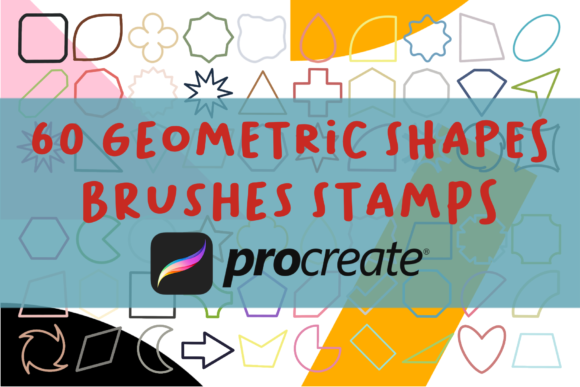
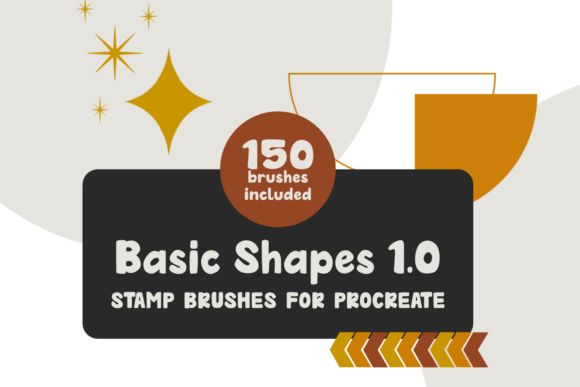
This set includes 150 high-quality stamps of basic and geometric shapes, ready to use in any project. The value proposition is simple: no need to trace over the stamps. You select the shape, tap the canvas, and it appears exactly as intended. These brushes are not pressure-sensitive, which might sound like a limitation at first, but it is actually their greatest strength for this specific use case. When you change the size, you get the same clean, crisp result every time you stamp. There is no variation in line weight or accidental tapering unless you apply it manually later. For anyone looking to speed up their workflow in Procreate, this consistency is invaluable.
Why Geometric Precision Matters in Digital Workflows
Many creators assume that hand-drawn imperfections add charm, and while that is true for organic illustrations, there are countless scenarios where geometric accuracy is non-negotiable. Think about UI design mockups, architectural sketches, infographic elements, or even pattern design. In these contexts, a wobbly rectangle or an uneven star distracts from the message. Using Procreate Basic Shapes 1.0 Stamp Brushes ensures that your foundational elements are structurally sound.
The file size is 54.1 Mb, which is reasonable for the volume of assets included. More importantly, the organization matters. The set comes as one .brushset file with all the brushes included, organized into sub-categories for ease of use. This means you are not scrolling through hundreds of unlabelled icons to find a diamond shape or an arrow. The categorization allows for quick retrieval, which is essential when you are in the flow state and do not want to break your concentration to hunt for tools.
Real-World Use Cases for Creators and Professionals
The versatility of this brush set extends far beyond simple doodling. Different users will find different applications for these 150 shapes, depending on their industry and goals.
Graphic Designers and Marketers
For social media managers and graphic designers, speed is often as important as aesthetics. When creating Instagram stories, Pinterest pins, or promotional banners, you frequently need background elements, frames, or bullet points. Instead of switching between Procreate and a vector tool like Illustrator for simple shapes, you can stay within Procreate. The inclusion of arrows, scallops, and stars allows for quick creation of eye-catching layouts. You can stamp a series of arrows to guide the viewer’s eye toward a call-to-action button, or use circles to create uniform bullet points for a listicle graphic. The ability to resize without losing quality ensures that these elements remain sharp on high-resolution screens.
Educators and Content Creators
Teachers and educational content creators often need to produce worksheets, diagrams, or explainer videos. Drawing consistent shapes for math problems, science diagrams, or flowcharts can be time-consuming. With Procreate Basic Shapes 1.0 Stamp Brushes, an educator can quickly assemble a geometry worksheet or a visual aid for a history timeline. The hearts and stars are particularly useful for younger audiences, adding a playful element to educational materials without requiring advanced illustration skills. The consistency of the shapes helps maintain a professional look, which builds trust with students and parents.
Pattern Designers and Surface Artists
Creating seamless patterns often involves repeating geometric motifs. Whether you are designing fabric prints, wallpaper, or wrapping paper, having a library of perfect diamonds, triangles, and rectangles is crucial. You can stamp these shapes, arrange them into a grid, and then use Procreate’s symmetry tools to create complex tessellations. Because the brushes are not pressure-sensitive, you do not have to worry about accidental variations in shape thickness disrupting the pattern’s rhythm. This makes the iteration process much faster, allowing designers to test multiple colorways and arrangements in a fraction of the time it would take to draw each element by hand.
Architects and Interior Designers
While professional CAD software is the standard for final blueprints, many architects and interior designers use Procreate for quick concept sketches and client presentations. In these early stages, the goal is to communicate ideas, not to produce construction-ready documents. Stamping basic rectangles for furniture, circles for lighting fixtures, or arrows for traffic flow can help visualize a space rapidly. It keeps the sketch loose and conceptual while ensuring that the basic proportions and geometries are clear and understandable.
Technical Considerations and Compatibility
Before downloading or purchasing, it is important to understand the technical requirements. These brushes are only compatible with Procreate 5 or higher. They will not work in Procreate Pocket, Photoshop, Clip Studio Paint, or any other application. This exclusivity is due to the proprietary brush engine Apple and Savage Interactive use. If you are working in a multi-app ecosystem, you will need to export your Procreate files as PNGs or PSDs to integrate these shapes into other workflows.
Another key detail is the lack of pressure sensitivity. For traditional ink or watercolor brushes, pressure sensitivity is vital for creating dynamic lines. However, for stamp brushes, it is a feature, not a bug. It guarantees uniformity. If you need a shape to look hand-drawn, you can always go back and add texture or irregularities using other brushes after stamping. But starting with a perfect base gives you more control over the final outcome. You decide where the imperfection goes, rather than fighting against the tool to get a straight line.
Maximizing Efficiency with Sub-Categories
The organization of the Procreate Basic Shapes 1.0 Stamp Brushes into sub-categories is a significant time-saver. Imagine you are working on a layout and need a specific type of arrow. Without categories, you might have to scroll through dozens of irrelevant shapes. With organized folders, you can jump directly to the "Arrows" section, pick the style that fits your aesthetic, and place it. This structure supports a non-linear workflow, where you might jump between adding text, drawing characters, and placing geometric accents. The ease of access reduces cognitive load, letting you stay focused on the creative decisions rather than the mechanical execution.
In conclusion, this tool is not about replacing artistic skill. It is about removing unnecessary obstacles. Whether you are a freelancer rushing to meet a deadline, a hobbyist wanting to create cleaner journal entries, or a business owner designing your own marketing materials, Procreate Basic Shapes 1.0 Stamp Brushes offer a practical solution to a common problem. By providing 150 ready-to-use, high-quality geometric shapes, this set allows you to build complex compositions with speed and precision. It is a small investment in your toolkit that pays dividends in saved time and reduced frustration, letting you spend more energy on the parts of creation that truly matter.