Procreate Brushes Stamp Christmas 2 Font: A Practical Guide for Digital Creators
If you have ever spent hours trying to hand-letter a holiday greeting only to realize the spacing is off or the consistency is lacking, you understand the specific frustration of digital typography. This is where specialized tools like Procreate Brushes Stamp Christmas 2 Font change the workflow entirely. Rather than treating text as a static layer that requires complex manipulation, these brushes allow you to stamp individual letters directly onto your canvas. It is a subtle distinction, but for anyone creating seasonal graphics, invitations, or social media content, it transforms a tedious task into a fluid, creative process.
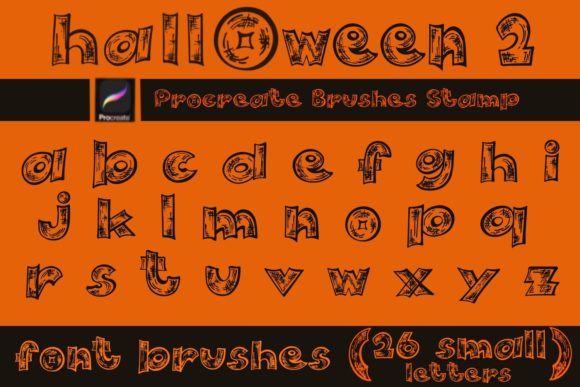
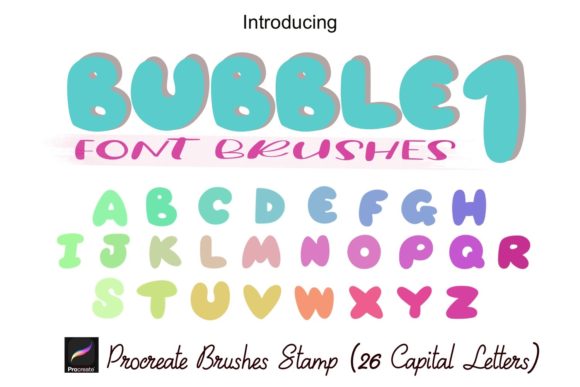
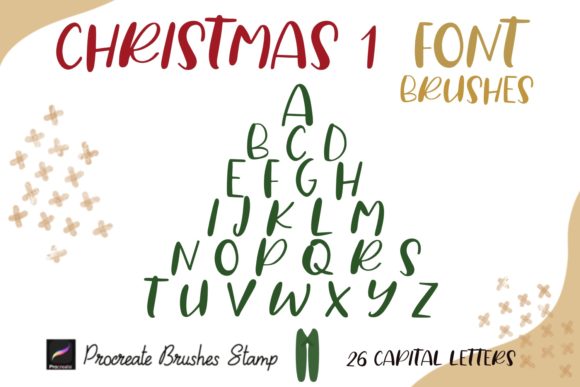
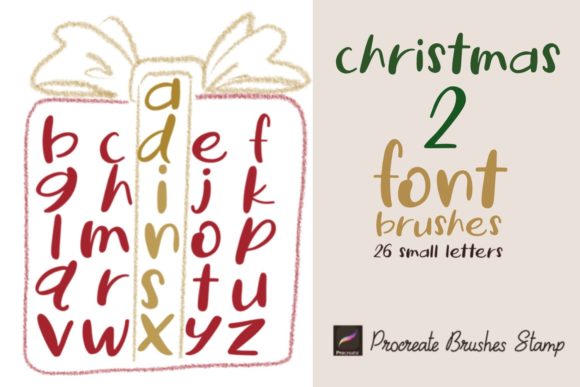
The core appeal of this tool lies in its simplicity and specificity. You are not just getting a generic font file; you are receiving a set of 26 individual stamp brushes, each representing a small letter of the alphabet. This format is designed specifically for the iPad environment, leveraging the tactile nature of Procreate. When you tap the screen, the letter appears. When you tap again, another appears. It mimics the physical act of using a rubber stamp, but with the infinite flexibility of digital design. You can resize, rotate, change opacity, and alter colors instantly, giving you control that physical stamps simply cannot offer.
Why Stamp Brushes Beat Standard Text Layers
Many designers default to standard text tools because they are familiar. However, standard fonts often feel rigid. They lack the organic imperfections that make handmade designs feel warm and inviting. Alphabet brushes bridge this gap. Because each letter is a separate stamp, you have total control over kerning and alignment. You can overlap letters to create a clustered, cozy look, or space them out widely for a minimalist aesthetic. This level of manual adjustment is difficult to achieve with auto-kerned text fields.
Furthermore, these font brush stamps integrate seamlessly with other artistic elements. Since they are brushes, they respond to the same layer settings as your drawings. You can lower the opacity to create a watermark effect, use blending modes to make the text interact with background textures, or mask them into shapes. This makes them ideal for users who want their typography to feel like part of the illustration rather than an afterthought.
Real-World Applications for Different Creators
The versatility of Procreate brushes stamp sets means they serve a wide range of users. Here is how different creators can leverage this tool in their daily workflows.
Small Business Owners and Entrepreneurs
For those running Etsy shops or local boutiques, time is money. Creating custom packaging inserts, thank-you cards, or product labels often requires a personal touch. Using alphabet brush stamps, you can quickly draft unique designs for holiday promotions. Imagine creating a limited-edition candle label where the scent name is stamped in a playful, handwritten style. You can adjust the size of the small letters brush to fit perfectly within your label template, ensuring brand consistency without needing advanced graphic design software.
Social Media Managers and Bloggers
Instagram posts and blog headers thrive on visual distinctiveness. Generic fonts can get lost in a crowded feed. With doodle procreate brushes and stamp fonts, you can create eye-catching graphics that stop the scroll. For example, a lifestyle blogger might use these brushes to add handwritten captions to photos of holiday decor. The ability to change colors on the fly allows you to match your brand palette exactly, ensuring that every post feels cohesive. These abstract Procreate Brushes can also be layered behind text to add depth and interest to simple quote graphics.
Educators and Parents
Digital learning resources are increasingly popular. Teachers creating worksheets or interactive lessons on iPads can use these alphabet brushes to make materials more engaging. Instead of sterile computer-generated text, they can use the stamp brushes to create friendly, approachable headings for children’s activities. Parents can also use them for digital scrapbooking, adding personalized notes to family photos during the holiday season. The ease of use means you do not need a steep learning curve to produce professional-looking results.
Technical Considerations and Best Practices
Before downloading and installing, it is important to understand the technical requirements. These Procreate brushes are designed exclusively for the Procreate app on iPad. They will not work in Photoshop, Illustrator, or other desktop software. This limitation is actually a strength, as it ensures the brushes are optimized for the Apple Pencil’s pressure sensitivity and the iPad’s touch interface.
When you receive the ZIP file containing the 26 stamp brushes, the installation process is straightforward. You simply unzip the file on your iPad, tap the brush set file, and it automatically imports into your Procreate library. Once installed, you will find a new brush set ready to use. It is advisable to test the brushes on a blank canvas first to get a feel for the spacing and size defaults.
One key feature to explore is the scalability. Unlike static images, these brush fonts can be resized without losing quality. However, because they are stamps, resizing them too large may reveal pixelation depending on the original resolution. It is best to use them at or near their intended size for crisp edges. Additionally, experimenting with opacity can create beautiful layered effects. Try stamping a letter, lowering the opacity, and stamping it again slightly offset to create a shadow or echo effect.
Integrating with Abstract and Doodle Elements
To truly maximize the potential of Procreate Brushes Stamp Christmas 2 Font, consider combining them with abstract procreate brushes and doodle sets. The holiday theme lends itself well to whimsical, hand-drawn aesthetics. You can surround your stamped text with abstract swirls, stars, or snowflakes created with complementary brushes. This creates a cohesive design language where the text and imagery feel like they were drawn together.
For instance, when designing a holiday party invitation, you might use the small letters brush to spell out the date and time, then use abstract brushes to create a festive border. The contrast between the structured letters and the freeform doodles adds visual interest and keeps the design from feeling too rigid. This approach is particularly effective for surface patterns, where repeating elements need to balance structure and chaos.
Final Thoughts on Choosing the Right Tools
Choosing the right digital tools is about matching functionality with your creative goals. If you value speed, authenticity, and flexibility, Procreate Brushes Stamp Christmas 2 Font offers a compelling solution. It removes the friction of traditional typography while retaining the charm of hand-lettering. Whether you are designing business cards, wall art, or simple Instagram stories, these brushes provide a reliable way to add a personal touch to your digital projects.
Remember that the best results come from experimentation. Do not be afraid to mix sizes, overlap letters, or combine these stamps with other artistic elements. The more you use the alphabet brush stamp set, the more intuitive it becomes, allowing you to focus less on the mechanics of typing and more on the art of design. By integrating these tools into your workflow, you can elevate your holiday creations from generic to genuinely memorable.