Mastering Digital Hair Art: A Guide to Procreate and Photoshop Brush Sets
In the evolving landscape of digital art, few subjects are as technically demanding yet visually rewarding as rendering hair. Whether you are illustrating a character for a video game, designing a fashion sketch, or creating detailed portraits, the texture, flow, and volume of hair can make or break the realism of your piece. For many artists, the struggle to paint convincing strands often leads to frustration. This is where specialized tools come into play. Utilizing high-quality digital hair brushes can significantly streamline your workflow, allowing you to focus on creativity rather than fighting with software settings. This article explores the utility of professional brush sets for both Procreate and Photoshop, helping you understand how these digital assets can elevate your artistic output.
The Importance of Specialized Digital Tools
Before diving into specific products, it is essential to understand why generic brushes often fail when tackling complex textures like hair. Standard round or square brushes lack the nuanced opacity variations and tapering effects required to mimic individual strands. When an artist attempts to paint hair using basic tools, the result often looks like a solid block of color or a messy scribble, lacking the depth and translucency of real hair.
This is the primary significance of dedicated hair ABR files and Procreate brush sets. These tools are pre-configured with specific dynamics—such as pressure sensitivity, scattering, and angle jitter—that replicate the natural behavior of hair. By integrating these into your toolkit, you are not "cheating"; rather, you are leveraging technology to handle the repetitive mechanical aspects of painting, freeing your mind to concentrate on lighting, composition, and style.
Bridging the Gap Between Traditional and Digital Media
For artists transitioning from traditional media, such as oil or watercolor, to digital platforms, the learning curve can be steep. In traditional painting, you might use a fan brush or a fine liner to create hair textures. In the digital realm, you must simulate these physical interactions. A well-crafted brush set acts as a bridge, offering digital equivalents of your favorite physical tools. For instance, a painted hair brush in Photoshop might mimic the drag and resistance of a dry brush on canvas, while a Procreate brush might simulate the fluidity of ink.
Exploring Photoshop Hair Brushes and ABR Files
Adobe Photoshop remains the industry standard for digital illustration and photo manipulation. Its robust brush engine allows for incredible customization, but this complexity can be overwhelming for beginners. This is where pre-made ABR brushes become invaluable. An ABR file is the native format for Photoshop brushes, containing all the necessary data to replicate a specific stroke texture.
When you purchase or download a set of Wigs Photoshop Brushes or general hair tools, you are typically receiving a collection of these ABR files. These sets often include various types of strokes: thick clumps for base shapes, fine strands for flyaways, and textured brushes for adding noise and realism. The versatility of these brushes allows them to be used not just for human hair, but for fur, wool, and other fibrous materials.
Compatibility and Technical Considerations
It is crucial to note the technical requirements when working with these digital products. Most modern digital brush sets are optimized for recent versions of Photoshop. While they offer advanced features like dual-brush tips and wet edges, these features may not be supported in older software iterations. Specifically, this set may or may not work partially on very old versions of Photoshop that are no longer supported by developers, such as CS3 or earlier versions. Artists using legacy hardware or software should verify compatibility before purchasing to ensure a smooth experience.
Furthermore, understanding the file structure is part of the process. These files are typically compressed in .ZIP format to reduce download size and keep the collection organized. Once downloaded, you must extract the ZIP file to access the individual .ABR files, which can then be imported directly into Photoshop’s brush panel. This simple step is often overlooked by beginners, leading to confusion when the brushes do not appear immediately after download.
The Rise of Procreate for Mobile Illustration
While Photoshop dominates the desktop environment, Procreate has revolutionized digital art on the iPad. Its intuitive interface and powerful engine have made it a favorite among illustrators, concept artists, and hobbyists. However, Procreate uses a different brush format than Photoshop. Therefore, a Hair Brushes Procreate set is distinct from an ABR set, though the artistic intent remains the same.
Procreate brushes are designed to take full advantage of touch input and Apple Pencil tilt. A high-quality hair brush in Procreate will respond dynamically to the angle of your stylus, allowing you to create wide, flat strokes or fine, sharp lines simply by changing how you hold the pen. This level of interactivity makes it particularly effective for painting wigs and complex hairstyles where flow and direction are critical.
Practical Applications in Character Design
Consider the workflow of a character designer. They need to iterate quickly, testing different hairstyles to see what fits the personality of the character. Using a specialized digital hair brush set allows for rapid prototyping. Instead of spending hours painting each strand manually, the artist can lay down the base shape, use a clump brush to define major sections, and then use a fine detail brush to add stray hairs and highlights. This efficiency is vital in professional environments where deadlines are tight.
How to Choose the Right Brush Set
With countless options available online, selecting the right brush set can be daunting. Here are key factors to consider:
- Versatility: Look for sets that include a range of sizes and opacities. A good set should allow you to paint both thick, heavy hair and fine, wispy bangs.
- Realism vs. Stylization: Some brushes are designed for photorealism, while others are better suited for anime or cartoon styles. Ensure the sample images match your artistic goals.
- Platform Compatibility: Confirm whether the brushes are for Photoshop (.ABR), Procreate, or both. Some creators offer bundles that include formats for multiple programs.
- User Reviews: Check feedback from other artists. Look for comments on ease of use, installation clarity, and performance on different devices.
Installation and Getting Started
Once you have acquired your Hair ABR or Procreate brushes, the next step is installation. For Photoshop, navigate to the Brush Panel, click the menu icon, and select "Import Brushes." Locate your extracted .ABR file, and the new brushes will appear at the bottom of your list. For Procreate, the process is even simpler: tap the brush library, scroll to the top, and select "Import." Navigate to your downloaded file, and the brushes will be added to your current set.
To get the most out of these tools, practice is essential. Start by experimenting with pressure sensitivity. Try varying the speed of your stroke; faster strokes often result in smoother, thinner lines, while slower strokes can build up texture. Combine different brushes from the set to layer effects. For example, use a broad brush for the underlying shadow and a fine brush for the highlighted strands.
Common Misunderstandings
A common misconception is that using pre-made brushes diminishes artistic skill. On the contrary, mastering these tools requires a deep understanding of light, form, and anatomy. The brush is merely a vehicle for your vision. Another misunderstanding is that one brush fits all scenarios. In reality, effective hair painting often involves switching between three or four different brushes within a single piece to achieve depth and variation.
Conclusion
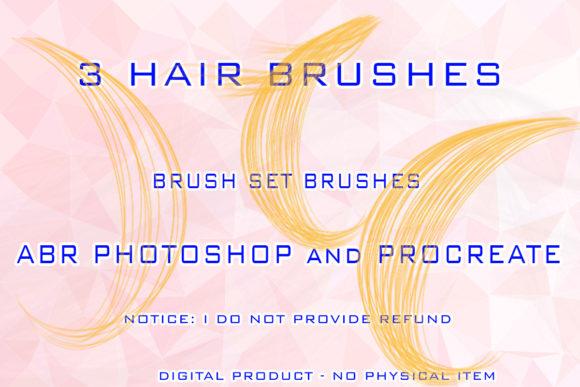
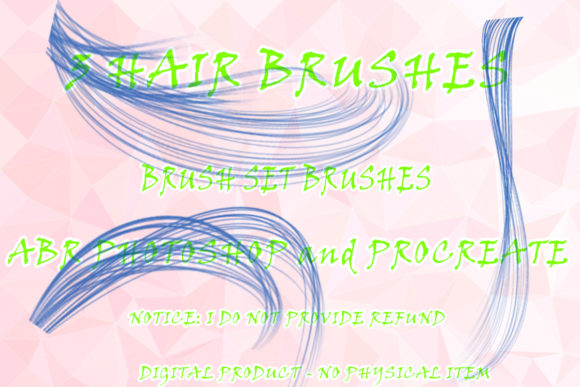
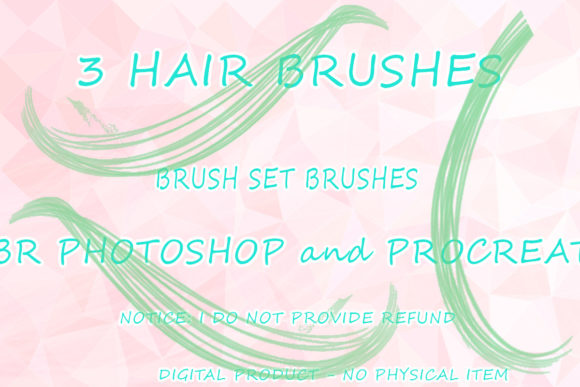
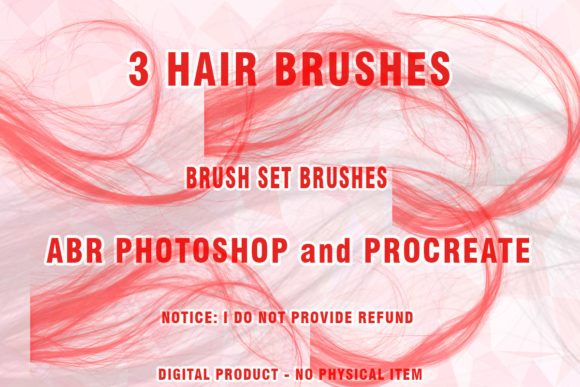
Incorporating specialized 3 Hair Brushes Procreate and Photoshop tools into your workflow can transform your digital art journey. Whether you are working with Wigs ABR Photoshop files or mobile-friendly Procreate sets, these resources provide the technical foundation needed to render complex textures with ease. By understanding the file formats, compatibility requirements, and practical applications, you can make informed decisions that enhance your creative process. Remember, the goal is not just to download a file, but to integrate these tools into your artistic vocabulary, allowing you to create stunning, lifelike hair that captivates your audience. As technology continues to advance, staying updated with high-quality digital assets ensures that your skills remain relevant and your art continues to evolve.