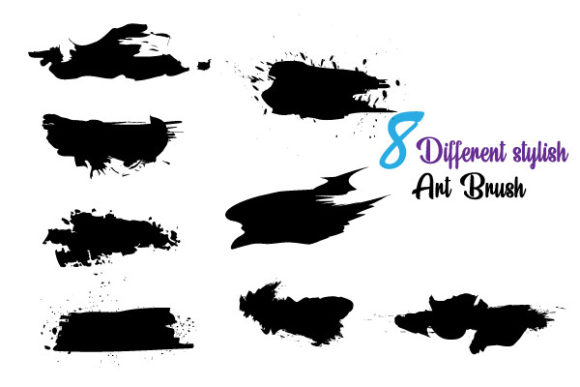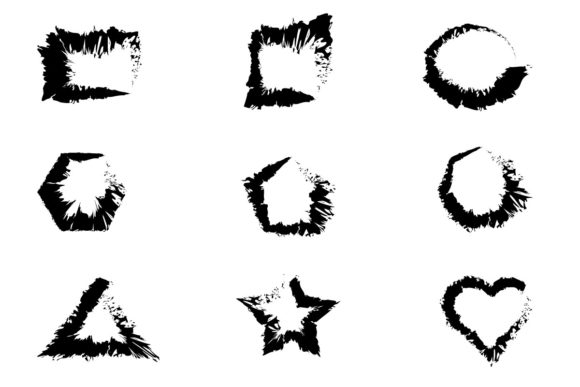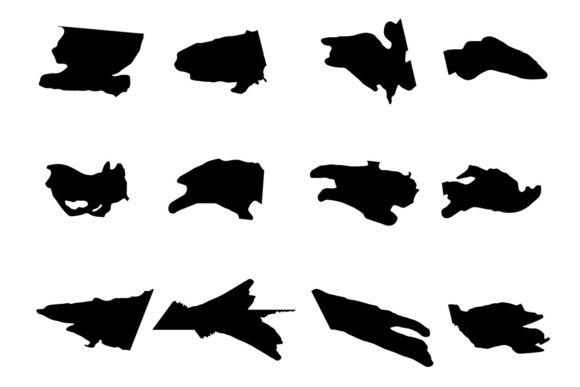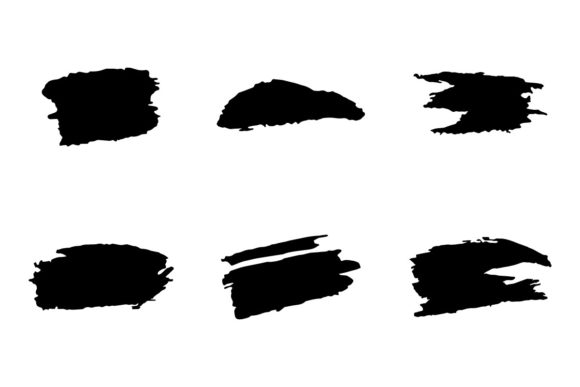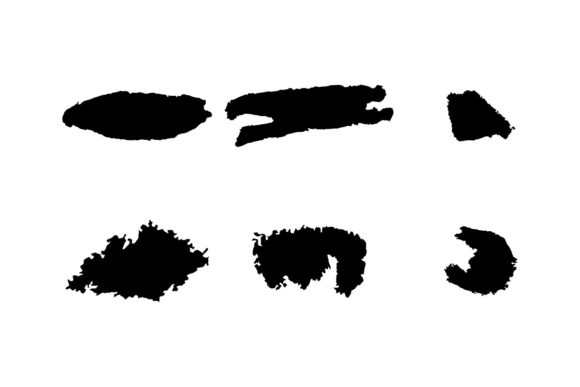
Hand Made Art Brushes: Messy & Textured
Digital design has spent the last decade chasing perfection. We smooth out edges, align pixels to the grid, and sanitize our vectors until they look sterile. But there is a growing rebellion against this clinical aesthetic. Designers, illustrators, and brand strategists are increasingly seeking tools that reintroduce humanity into their work. This is where Hand Made Art Brushes come into play. These are not your standard, predictable vector strokes. They are messy, inky, rough, textured, and occasionally glitchy. They bring the organic unpredictability of physical media into the precise environment of Adobe Illustrator.
For professionals who spend their days manipulating Bezier curves, these brushes offer a necessary break from rigidity. They allow you to create visuals that feel touched by human hands, even when they are entirely digital. Whether you are designing a rugged outdoor brand identity, creating editorial illustrations for a lifestyle blog, or adding texture to a digital poster, these exclusive brushes provide the grit and character that flat colors simply cannot achieve.
The Aesthetic of Imperfection
The core appeal of these art brushes lies in their controlled chaos. When we talk about "messy" or "rough," we are referring to the subtle irregularities that occur in traditional media. Think of the way ink bleeds slightly into cheap paper, or how a dry brush skips across a textured canvas. Replicating this digitally is notoriously difficult. Standard brushes often repeat patterns too obviously, breaking the illusion of authenticity.
These Hand Made Art Brushes are crafted to avoid that repetitive trap. Each stroke carries unique variations. The "inky" quality mimics the fluid dynamics of liquid pigment, while the "glitchy" elements introduce a modern, digital-artifact aesthetic that resonates with contemporary culture. This combination of old-world texture and new-world error creates a visual language that is both nostalgic and current. It is perfect for creators who want their work to stand out in a sea of polished, corporate-safe graphics.
Because these brushes are vector-based, they retain their sharpness at any scale. You can stretch a rough, textured line across a billboard or shrink it down for a business card, and the detail remains crisp. This scalability is crucial for professional workflows where assets need to be repurposed across various mediums without losing quality.
Seamless Integration with Adobe Illustrator
One of the most significant barriers to adopting textured brushes is compatibility. Many artists resort to using raster images (like PNGs or JPEGs) to add texture, which limits editing capabilities and resolution. These brushes are designed specifically for Adobe Illustrator, leveraging the power of vector graphics. The package includes files in SVG and EPS formats, ensuring they work seamlessly with Illustrator CC and other vector software that supports these standards.
The workflow is intuitive. You do not need to learn complex scripting or third-party plugins. Simply load the brushes into your library and start painting. Because they are native vector objects, you can expand them, edit their anchor points, and manipulate their shapes just like any other path. This level of control is rare for textured assets. Usually, once you apply a texture, you are stuck with it. Here, you have the freedom to tweak every aspect of the stroke to fit your specific composition.
Customization and Flexibility
Flexibility is key in professional design. Clients change their minds, and brand guidelines evolve. These brushes are fully customizable. You can edit the color of any stroke instantly. Want to change a deep, moody black ink splatter to a vibrant neon blue? It takes seconds. This ease of customization allows for rapid iteration. You can experiment with different color palettes and textures without starting from scratch.
Furthermore, these brushes can be combined. Layering a rough, dry brush stroke over a wet, inky splash creates depth and complexity. You can build up textures gradually, much like a painter would on a canvas. This layering capability opens up endless creative possibilities. You can create subtle backgrounds, bold foreground elements, or intricate details that draw the viewer’s eye. The ability to edit and combine these varied and unique brushes via Adobe Illustrator makes them a versatile tool in any designer’s arsenal.
Practical Applications Across Industries
The utility of Hand Made Art Brushes extends far beyond fine art illustration. Their versatility makes them valuable across a wide range of professional and commercial environments.
- Branding and Identity: Brands that want to convey authenticity, craftsmanship, or rebellious energy can use these brushes in their logos and marketing materials. A coffee shop aiming for an artisanal vibe, or a streetwear label targeting youth culture, can benefit greatly from the rough, hand-drawn aesthetic.
- Editorial Design: Magazines and online publications often use illustrations to break up text and add visual interest. These textured brushes are ideal for creating engaging headers, drop caps, and decorative elements that complement written content without overwhelming it.
- Packaging Design: In retail, shelf presence is everything. Packaging that looks handmade or artisanal often commands a higher price point. Using inky, textured brushes on product labels can signal quality and care to consumers.
- Social Media Content: In the fast-paced world of social media, standing out is crucial. Posts featuring unique, textured graphics tend to generate higher engagement than generic stock photos. These brushes allow marketers to create distinctive visuals quickly.
- Educational Materials: Educators and instructional designers can use these brushes to make learning materials more approachable and less intimidating. A friendly, hand-drawn style can help simplify complex concepts and keep students engaged.
Enhancing Efficiency and Creativity
Time is a precious resource for freelancers and agency teams alike. Creating custom textures from scratch is time-consuming. It involves scanning physical paintings, cleaning up images, and vectorizing them—a process that can take hours. By using pre-made Hand Made Art Brushes, you bypass this tedious setup. You gain immediate access to high-quality, professional-grade textures that are ready to use.
This efficiency does not come at the cost of creativity. On the contrary, having a robust library of reliable tools frees you to focus on the conceptual aspects of your project. You can spend more time on composition, color theory, and messaging, knowing that the technical execution of your textures is handled by high-quality assets. This balance of speed and quality is essential for meeting tight deadlines without compromising on artistic integrity.
Selecting the Right Tools for Your Project
When evaluating these brushes for your own work, consider the tone of your project. If you are designing for a conservative financial institution, the "glitchy" and "messy" aesthetics might be too bold. However, for creative agencies, tech startups, or lifestyle brands, these qualities are assets. Look for brushes that offer a good range of variation. The best sets include both subtle textures for background work and bold, expressive strokes for focal points.
Also, check the file formats. Ensure that the SVG and EPS files included are compatible with your version of Adobe Illustrator. While most modern versions handle these formats well, it is always wise to verify before purchasing. Finally, test the editability. Try changing colors and scaling the brushes to ensure they behave as expected in your specific workflow.
Incorporating Hand Made Art Bridges into your design process is more than just a stylistic choice; it is a strategic move towards more engaging, human-centric communication. In a digital world that often feels cold and automated, these brushes remind us of the value of imperfection, texture, and the human touch. They are practical, powerful, and perfectly suited for the modern creator who values both efficiency and expression.