Procreate Punctuation Stamp V2: 42 Essential Brushes
Typography is often described as the voice of design, but punctuation is the tone. A well-placed comma can create a pause for breath, while an exclamation mark injects energy and urgency. For digital artists and graphic designers working within the iPad ecosystem, having precise control over these typographic elements is crucial. This is where Procreate Brushes Stamp Punctuation V2 becomes an indispensable tool in your creative arsenal. Unlike standard text tools that can feel rigid or limited in their stylistic flexibility, this specialized brush set offers a dynamic, hand-crafted approach to adding character and structure to your digital compositions.
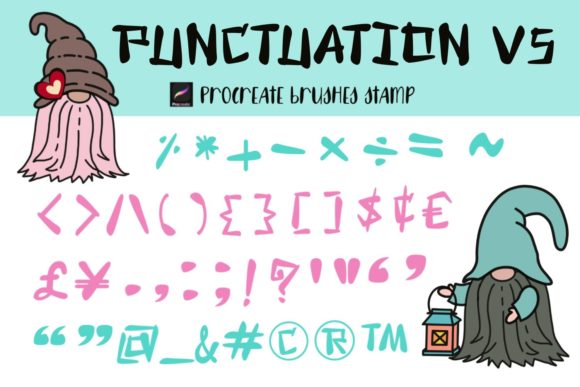
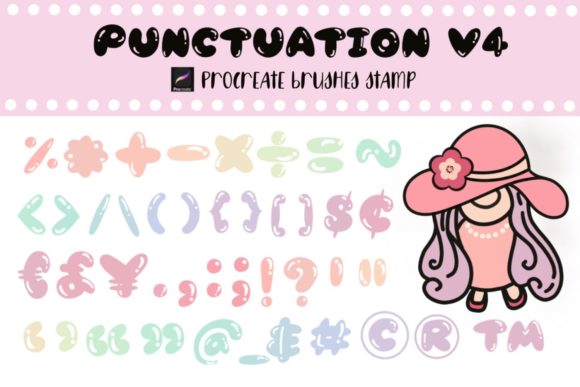
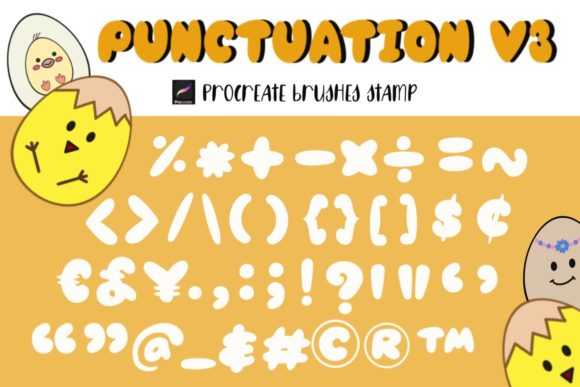
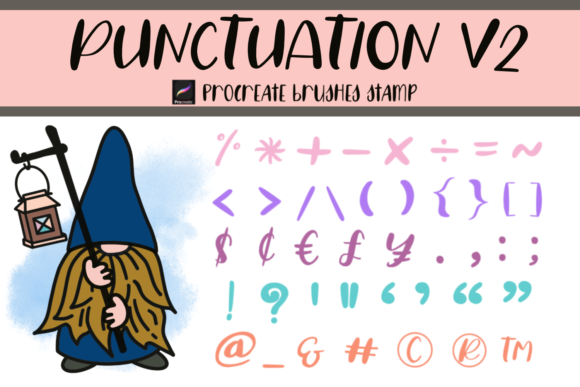
The core value of this collection lies in its simplicity and versatility. It includes 42 individual stamp brushes, each dedicated to a specific punctuation mark or typographic symbol. Whether you are designing a minimalist logo, creating engaging social media graphics, or illustrating a children’s book, these stamps allow you to place symbols with pixel-perfect accuracy. The ability to treat punctuation as a distinct artistic element rather than just a textual afterthought opens up new avenues for visual storytelling and brand identity.
Why Dedicated Punctuation Brushes Matter
You might wonder why one would need a dedicated punctuation brush when Procreate already has robust text features. The answer lies in the nuance of design. Standard fonts often lack the unique quirks or specific stylistic matches required for custom illustrations. When you are hand-lettering a quote or creating a bespoke logo, using a generic font for the punctuation can break the visual harmony. Procreate Brushes Stamp Punctuation V2 bridges this gap by providing symbols that can be scaled, rotated, and colored independently of any text layer.
This level of control is particularly beneficial for creators who focus on Punctuation for Alphabet brushes or Punctuation for font brushes. By decoupling the symbol from the letterform, you gain the freedom to experiment with layout and hierarchy. You can emphasize a question mark by making it larger and changing its color to draw attention, or use a subtle ellipsis to create a sense of mystery without altering the surrounding text. This flexibility is essential for maintaining a cohesive aesthetic in complex designs.
Key Features and Usability
The Procreate brush stamp functionality is designed for speed and efficiency. Each of the 42 stamps is optimized for immediate use. Once installed, the process is intuitive: select the desired stamp, tap your screen, and the symbol appears. From there, you can utilize Procreate’s native transformation tools to resize, rotate, or adjust the opacity. This workflow is significantly faster than switching between text layers and shape tools, allowing you to maintain your creative flow.
One of the standout qualities of this set is its adaptability. Because these are raster-based stamps, they integrate seamlessly with other Procreate brushes. You can overlay them on textured backgrounds, blend them with watercolor effects, or use them as masks for more complex compositions. The brushes are compatible exclusively with Procreate, ensuring that they are tailored to the app’s engine for smooth performance and high-resolution output.
Practical Applications Across Industries
The utility of Procreate Brushes Stamp Punctuation V2 extends far beyond simple note-taking. Here is how various professionals can leverage this tool:
- Graphic Designers and Brand Strategists: Use these stamps to create unique logotypes or brand marks where punctuation plays a central role. Think of brands that incorporate exclamation points or ampersands into their identity. These brushes allow for custom styling that standard fonts cannot achieve.
- Social Media Managers and Content Creators: Eye-catching Instagram posts and blog headers often rely on bold typography. Using Punctuation for Number brushes or standard marks can help break up text, create visual interest, and guide the viewer’s eye through the composition. They are perfect for creating "quote cards" that stand out in a crowded feed.
- Educators and Publishers: For those creating digital worksheets, educational materials, or children’s books, these brushes offer a playful yet clear way to highlight grammatical structures. They can be used to create engaging visuals that teach punctuation rules in a fun, interactive way.
- Stationery and Invitation Designers: Wedding invitations, greeting cards, and printable stationery benefit from the delicate touch of hand-stamped punctuation. The ability to customize color and opacity allows these symbols to blend harmoniously with floral illustrations or elegant scripts.
- Surface Pattern Designers: When creating repeating patterns for packaging or textiles, small typographic elements can add texture and depth. These stamps can be scattered across a canvas to create a subtle, typographic background pattern.
Installation and Workflow Tips
Getting started with Procreate Brushes Stamp Punctuation V2 is straightforward. Upon purchase, you will receive a ZIP file containing the brush set. To install, simply unzip the file on your iPad. Tapping the brush file should automatically import it into your Procreate brush library. If it does not import automatically, you can manually add it by selecting "Import" from the brush library menu and navigating to the downloaded file.
Once installed, organize your workspace for maximum efficiency. Consider creating a dedicated folder for your typographic stamps. This keeps your brush list clean and ensures that your punctuation brushes are always within reach. When using the stamps, remember that they behave like any other brush stroke. This means you can use the Apple Pencil’s pressure sensitivity if the brush settings allow, though most stamps are designed for a consistent, uniform appearance regardless of pressure.
For best results, experiment with layer modes. Placing a punctuation stamp on a layer set to "Multiply" can create a realistic ink-on-paper effect, while "Screen" or "Add" can make symbols glow against dark backgrounds. Combining these stamps with other brushes Procreate offers, such as texture or grain brushes, can add a tactile quality to your digital work, making it feel more organic and less computer-generated.
Enhancing Your Digital Toolkit
In the world of digital art, efficiency is key. Having a reliable set of Procreate brushes that handle the minutiae of design allows you to focus on the bigger picture. Procreate Brushes Stamp Punctuation V2 is not just a collection of symbols; it is a tool for refinement. It empowers you to polish your designs, ensure typographic consistency, and add those final touches that elevate a good project to a great one.
Whether you are a freelancer looking to streamline your client deliverables, a hobbyist exploring the joys of digital lettering, or a business owner creating your own marketing materials, this brush set offers tangible value. It removes the friction of creating custom punctuation from scratch and provides a professional, polished look with minimal effort. By integrating these stamps into your workflow, you invest in a smoother, more creative process that respects both your time and your artistic vision.
Ultimately, the power of Procreate Brushes Stamp Punctuation V2 lies in its ability to turn small details into significant design elements. In a landscape where attention spans are short and visual competition is fierce, the small things often make the biggest impact. A perfectly placed, stylishly rendered punctuation mark can be the difference between a design that is overlooked and one that is remembered.